Wednesday, November 17, 2010

Windsor-managed MembershipProviders

I see many questions on Stackoverflow that are basically variants of this: "How can I integrate my custom MembershipProvider into my IoC container?"

Integrating your custom MembershipProvider to a IoC container has many advantages, since it would let you treat it just like any other service: you could manage its lifetime, dependencies, configuration, even proxy it if you wanted.

Problem is, MembershipProviders are one of those things that are managed by the ASP.NET runtime. You just configure it in your web.config and the runtime instantiates it when it's needed. You don't really get much control over its creation.

A cheap solution is to use the container as a service locator directly in your membership provider (using something like CommonServiceLocator), e.g.:

public class MyMembershipProvider : MembershipProvider {
    private IUserRepository repo {
        get { return ServiceLocator.Current.GetInstance<IUserRepository>(); }
    }

    public override string GetUserNameByEmail(string email) {
        return repo.First(u => u.Email == email);
    }

    ...
}

Using a service locator like this should be avoided as much as possible. Mark Seeman explains it thoroughly in this article. In a nutshell, you want to limit the usage of the service locator pattern to glue code (i.e. very low-level infrastracture), even there use it as little as possible, and never use it in application-level code.

As usual with this kind of problems, the solution is to write a wrapper/adapter/bridge/whatever-you-want-to-call-it that isolates the issue so that client code doesn't have to suffer it. It's similar in concept to the implementation of Windsor-managed HttpModules. It's actually simpler than that, we don't need a custom lifestyle manager here.

In fact, Spring.NET has had such an adapter for quite some time. The only problem with that implementation is that you can't change the lifetime of the custom provider, it's always a singleton. My implementation doesn't have this limitation: your provider can be transient, singleton, per web request, whatever. The price for this is that you can't use Initialize() (more precisely, it won't do anything), but since it's managed by the container, you can use the container to provide any configuration, which is much more flexible. The implementation is about 200 lines of boring, simple code so I'm not going to post it here. It does use Windsor as a service locator, but this is low-level infrastracture/glue code. The goal here is to keep your code clean.

The code is here, and here's how to use it:

  1. Write your custom MembershipProvider as a regular component, using constructor or property injection as you see fit.
  2. Implement IContainerAccessor in your global HttpApplication class. Use this article as reference.
  3. Register your custom provider in Windsor and assign a name to the component. E.g.:

    container.Register(Component.For<MyMembershipProvider>()
        .LifeStyle.Transient
        .Named("myProvider"));
  4. Register your custom provider in your web.config using the adapter and referencing the name of the corresponding Windsor component in a "providerId" attribute. E.g.:

        <membership defaultProvider="customProvider">
          <providers>
            <clear/>
            <add name="customProvider" type="ProviderInjection.WebWindsorMembershipProvider, ProviderInjection" providerId="myProvider"/>
          </providers>
        </membership>

That's it. Here's a sample app that you can use as reference. This can be easily ported to any IoC container, and for any provider like RoleProvider, ProfileProvider, etc. I haven't used this in anger so let me know if you have any problems with it.

Tuesday, November 16, 2010

Migrating to FAKE

I finally finished migrating the SolrNet build scripts from MSBuild to FAKE. I did not do this out of a whim or just because I was bored, but because the MSBuild script was getting out of hand. At only 246 lines, it became unmaintainable. I admit I'm not a MSBuild expert, but a build script shouldn't be that hard. Just visually parsing the script was a daunting task.

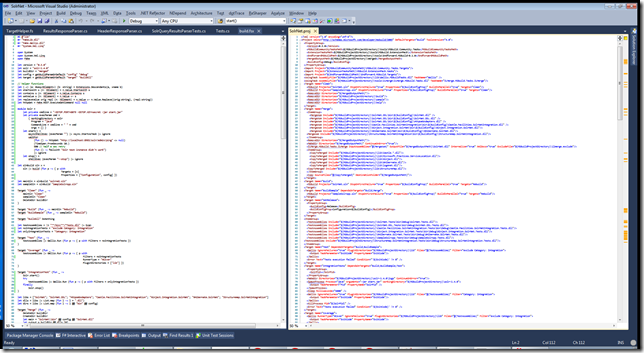
This screenshot compares the FAKE and the equivalent MSBuild scripts side by side:

fake-vs-msbuild

Even if you can't read it, I bet you can tell which is which.

XML-based DSLs like MSBuild and NAnt have only one advantage: being easily parsable by tools. But if you're going to do any sort of manual maintenance of the script, embedded DSLs in a real language will beat XML progamming every time.

I wrote the original build script for SolrNet in MSBuild for two reasons: no external dependencies, so it wouldn't place any burden on potential contributors; and being a NAnt user, I wanted to learn MSBuild.

But I should have known better: most of my NAnt scripts have evolved over the years to be mostly calls to MSBuild to compile solutions and embedded Boo to handle any logic.

Speaking of Boo, Phantom looks very nice. I picked FAKE over Phantom kind of arbitrarily, mostly because I'm really digging F# right now. But I'm keeping an eye on Phantom. Boo's macros and compiler extensibility are used in Phantom, and Boo's type inference and optional duck-typing make it an excellent language for a build system. And Boo is so small that you can fit the runtime and the compiler in under 2MB, so it's not an issue to distribute it.

Another option is Rake. Albacore and rake-dotnet implement the common .net-building tasks in Rake. But I really don't want to introduce a dependency on Ruby just to build the project.

Then there's PSake. PowerShell is quite powerful and I really like the concept of piping objects instead of lines of text as in unix shells. In the context of a build script, one of the main advantages of using a shell is that it's dead easy to call external programs, so "integrating" with ILMerge, Zip, etc is just a matter of calling the executable in question with the parameters you need, just as you would do it on the command line. No wrappers needed. And PowerShell is ubiquitous enough as to not consider it a dependency. But... I still can't get myself to like PowerShell's syntax. I know this is totally subjective, but I feel just like Jim here. Scripts involving .net are particularly ugly. And my first experience with PowerShell was bumpy to say the least.

Another (lesser for me) issue with PowerShell is that it currently doesn't run on Mono. It's not like I'm building SolrNet on Mono right now, but I certainly don't want to knowingly work against it.

So why did I pick FAKE and F# instead of all the others I mentioned?

  • F# is statically typed and has global type inference. If there is a type error in my script, it won't run. At the same time, type inference gives the code a scripty feel. I didn't have to declare a single type in the build script (you can see it here).
  • I can write my build script on VS2010, complete with intellisense, automatic error checking and debugging.
  • FAKE defines a simple, terse, functional EDSL to manage common build tasks.
  • FAKE is trivially extensible: just write a regular F# function (or .net method in any language) and invoke it. No particular structure or attributes needed. In just a few lines I defined some helper functions to manipulate XML and start/stop Solr to run integration tests.
  • F# works on Mono.
  • No external dependencies: F# is included in any default VS2010 install. And now that F# is Apache-licensed, it will soon be included in Mono (therefore also Ubuntu) and MonoDevelop.

I've also been contributing a few things to FAKE lately:

  • Enhancements to the MSBuild integration.
  • Enhancements to the ILMerge integration.
  • Gallio integration.
  • Simpler shell exec functions and some shell-like functions similar to Ruby's FileUtils.
  • A couple of bugfixes.

Bottom line: a few years ago all there was to build .net projects was MSBuild and NAnt. Nowadays there's a lot of choice. Make sure you do your research and pick the build system that's right for your project and for you.

Thursday, October 28, 2010

GDataDB 0.2 released

Just released GDataDB 0.2. GDataDB is a database-like interface to Google Spreadsheets for .Net.

This is a maintenance release. Here's the short changelog:

  • Andrew Yau implemented deleting tables and databases (which means deleting worksheets and spreadsheets respectively).
  • Ryan Farley fixed a bug with read-only and write-only properties in the mapped class.
  • Updated to use the latest GData library.

Binaries are in github.

Also, Ryan recently wrote a nice article about GDataDB, check it out.

UPDATE 11/3/2010: Ryan Farley added GDataDB and GDataDB.Linq to the NuGet package repository. Thanks Ryan!

Monday, October 11, 2010

A functional wrapper over ADO.NET (part 2)

In my last post I introduced the basics of FsSql, a functional wrapper over ADO.NET for F#. Any code samples in this post will use what was defined in the previous one. To recap, here are the important definitions again:

let openConn() = 
    let conn = new System.Data.SQLite.SQLiteConnection("Data Source=test.db;Version=3;New=True;") 
    conn.Open() 
    conn :> IDbConnection 

let connMgr = Sql.withNewConnection openConn 
let execScalar sql = Sql.execScalar connMgr sql 
let execReader sql = Sql.execReader connMgr sql 
let execReaderf sql = Sql.execReaderF connMgr sql 
let execNonQueryf sql = Sql.execNonQueryF connMgr sql 
let execNonQuery sql p = Sql.execNonQuery connMgr sql p |> ignore 
let exec sql = execNonQuery sql [] 

Transactions

Ambient transactions alla TransactionScope / J2EE are implemented... through functions, of course!

Let's start with a simple function that inserts a record.

let insertUser connMgr = 
    Sql.execNonQueryF connMgr "insert into user (id,name) values (%d,%s)"

Note that it's parameterized by the connection manager. Now we make it require a transaction or throw if there is no current transaction:

let txInsertUser = Tx.mandatory insertUser

And we insert 50 users:

let insert50 connMgr = 
    for i in 1..50 do 
        txInsertUser connMgr i "John" |> ignore

If we run insert50, we'll get an exception "Transaction required!" since we haven't started any transaction. We need to wrap insert50:

let txInsert50 = Tx.required insert50

Tx.required will create the transaction if there isn't a previous one. Now we can run txInsert50 and each txInsertUser will run within this transaction.

Other transactional functions are Tx.never (the opposite of Tx.mandatory), Tx.supports (doesn't care if there's a transaction or not) and Tx.transactional (always starts a new transaction).

These are "ambient" or "implicit" transactions in the sense that they're transparent, i.e. txInsert50 has the same signature as insert50. There is no explicit commit or rollback: if the function ends successfully, it commits (or not, depending on transaction semantics); if there is an exception, it rolls back. Transaction semantics are defined outside the function definition. The actual transaction is carried over in the connection manager.

The library also includes a transaction computation expression. Here's an example:

let tx = Tx.TransactionBuilder()
let tran1() = tx {
    do! Tx.execNonQueryi
            "insert into user (id,name) values (@id,@name)"
            [P("@id", 99); P("@name", "John Doe")]
}
let tran() = tx {
    do! tran1()
    do! Tx.execNonQueryi "insert into blabla" [] // invalid SQL
    return 0
}

match tran() connMgr with // run transaction
| Tx.Commit a -> printfn "Transaction successful, return value %d" a
| Tx.Rollback a -> printfn "Transaction rolled back, return value %A" a
| Tx.Failed e -> printfn "Transaction failed with exception:\n %s" e.Message

This transaction will of course fail. Transaction expressions are currently composed with Tx.required semantics (this might be user-definable in the future). So the exception actually rolls back the whole thing, including the record inserted in tran1.

Mapping

FsSql is not a real ORM and doesn't pretend to be one. Still, I included a few mapping functions, but since there is no real schema definition in code, they're quite verbose to use. But this also makes things more flexible.

In my previous post I defined this function:

let selectById = execReaderf "select * from user where id = %d";;

val selectById : (int -> IDataReader)

This gives us a IDataReader... not the easiest thing to handle, we'd better map it to something more usable, at least a sequence of name*value pairs:

let selectByIdAsNameValue = selectById >> (Sql.mapFirst Sql.asNameValue);;

val selectByIdAsNameValue : (int -> seq<string * obj> option)

selectByIdAsNameValue 20;;

val it : seq<string * obj> option = 
  Some (seq [("id", 20); ("name", "John"); ("address", )])

Or since there are only three fields we could map it as a tuple:

let selectByIdAsTuple = selectById >> (Sql.mapFirst Sql.asTuple3<int,string,string option>);;

val selectByIdAsTuple : (int -> (int * string * string option) option)

selectByIdAsTuple 20;;

val it : (int * string * string option) option = Some (20, "John", null)

Or map it to a record:

type User = {
    id: int
    name: string
    address: string option
}
let asUser (r: #IDataRecord) =
    {id = (r?id).Value; name = (r?name).Value; address = r?address}
let selectByIdAsRecord = selectById >> (Sql.mapFirst asUser);;

val selectByIdAsRecord : (int -> User option)

If your database field names happen to coincide with the record field names, you can use this convenience function as your mapper:

let asUser r = Sql.asRecord<User> "" r

So far we've only seen how to map a single record from the result set (using Sql.mapFirst). Let's see now how we would map something more complex, like a joined query. First we create another table:

exec "create table animal (id int primary key not null, name varchar not null, owner int null, animalType varchar not null)"

Where the owner field will be a foreign key to the USER table. Now the corresponding record type:

type Animal = {
    id: int
    name: string
    animalType: string
    owner: int option
}

Let's insert some records:

let insertAnimal (animal: Animal) = 
    let toNull = function Some x -> x.ToString() | _ -> "null" 
    execNonQueryf 
        "insert into animal (id, name, owner) values (%d, %s, %s)" 
        animal.id animal.name (toNull animal.owner) |> ignore

// inserting sample data 
insertAnimal {id = 1; name = "Seymour"; owner = Some 1} 
insertAnimal {id = 2; name = "Nibbler"; owner = Some 1} 
insertAnimal {id = 3; name = "Tramp"; owner = None} 

Now we'd like to list people with pets. First we create the SQL:

let innerJoinSql = sprintf "select %s,%s from user u join animal a on a.owner = u.id" 
                      (Sql.recordFieldsAlias typeof<User> "u")
                      (Sql.recordFieldsAlias typeof<Animal> "a")

This generates the following SQL:

select u.id u_id,u.name u_name,u.address u_address,a.id a_id,a.name a_name,a.owner a_owner 
from user u join animal a on a.owner = u.id

Here's the mapping function we'll use:

let asUserWithAnimal (r: #IDataRecord) =
    Sql.asRecord<User> "u" r, Sql.asRecord<Animal> "a" r
val asUserWithAnimal : (IDataRecord -> User * Animal)

We'll also use a helper function (included in FsSql):

val Seq.groupByFst : (seq<'a * 'b> -> seq<'a * seq<'b>>

This does exactly what the name and signature suggest: group a sequence of tuples by the first element of the tuple.

Now we have everything we need to run and map the query:

execReader innerJoinSql []
|> Sql.map asUserWithAnimal
|> Seq.groupByFst
|> Seq.iter (fun (person, animals) ->
                printfn "%s has pets %s" person.name (String.Join(", ", animals |> Seq.map (fun a -> a.name))))

Which will print something like "Fry has pets Seymour, Nibbler"

Conclusions

FsSql aims to wrap ADO.NET to make it more idiomatic for F# consumers, providing several fine-grained functions meant to be reused or combined as necessary, as is usual in functional programming.

It's not an ORM by any means, it operates at roughly the same level as ADO.NET, so you don't get typical ORM features like type safety, automatic SQL generation and automatic mapping of query results. Maybe a proper ORM could be built on top of this library.

Other relational data access projects specific to F# include:

Full source code is here.

UPDATE 3/30/2011: I recently released FsSql 0.1, binaries available in github and NuGet.

A functional wrapper over ADO.NET

ADO.NET is the de-facto basic library for data access in .NET, and as everything in the BCL, it's object oriented. Which forces you to write object-oriented code when you use ADO.NET in F#.

Nothing wrong with that, and in fact F# is a great language to write object-oriented code. But I believe I speak for many F# coders when I say we prefer functional programming over OOP whenever possible.

So it boils down to this: you either use ADO.NET's objects directly (like this or this), or you wrap it to give a more functional style (like this, this, or this)

So here's an attempt at creating a generic functional wrapper over ADO.NET, I called this library FsSql. UPDATE 3/30/2011: I recently released FsSql 0.1, binaries available in github and NuGet.
Let's start with some examples...

The connection manager

A simple function to open a connection:

let openConn() = 
    let conn = new System.Data.SQLite.SQLiteConnection("Data Source=test.db;Version=3;New=True;") 
    conn.Open() 
    conn :> IDbConnection 

Let's create a table:

let ddl = "create table user (id int primary key not null, name varchar not null, address varchar null)"

Sql.execNonQuery (Sql.withNewConnection openConn) ddl [] |> ignore

That was quite verbose! The "Sql.withNewConnection openConn" piece is the "connection manager", it basically encapsulates how to create and dispose the connection. In general we'll always use the same connection manager, so we can use partial application around it for all operations:

let connMgr = Sql.withNewConnection openConn 
let execScalar sql = Sql.execScalar connMgr sql 
let execReader sql = Sql.execReader connMgr sql 
let execReaderf sql = Sql.execReaderF connMgr sql 
let execNonQueryf sql = Sql.execNonQueryF connMgr sql 
let execNonQuery sql p = Sql.execNonQuery connMgr sql p |> ignore 
let exec sql = execNonQuery sql []

Non-queries and Parameters

Using the previous definitions now we can write:

execNonQuery 
    "insert into user (id, name, address) values (@id, @name, @address)"  
    (Sql.parameters ["@id",box 1; "@name",box "John"; "@address",box None])

All that parameter boxing gets boring fast, we can define parameters in other ways:

let P = Sql.Parameter.make

execNonQuery 
    "insert into user (id, name, address) values (@id, @name, @address)"  
    [P("@id", 2); P("@name", "George"); P("@address", None)]

Note that I used None for the address parameter. None parameters are automatically mapped to DBNull.

Queries

Let's count the records in our table:

let countUsers(): int64 = 
    execScalar "select count(*) from user" [] |> Option.get 
    
printfn "%d users" (countUsers())

When reading a field from a row in a resultset (or a scalar), you get it as an Option (None if the field is DBNull, otherwise Some x), so it forces you to deal with nullness (database nullness, in this case) as is usual in F#.

Here's an example of querying and iterating over the results:

execReader "select * from user" [] 
|> Seq.ofDataReader 
|> Seq.iter (fun dr -> 
    let id = (dr?id).Value 
    let name = (dr?name).Value 
    let address = 
        match dr?address with 
        | None -> "No registered address" 
        | Some x -> x 
    printfn "Id: %d; Name: %s; Address: %s" id name address)

Here Seq.ofDataReader converts the IDataReader into a sequence of IDataRecords. The dynamic operator is used to get the data out of the fields with option types, again forcing you to deal with nullness.

Also note how connection management is implicit. The connection is automatically closed when the datareader is disposed, which happens at the end of the iteration.

Stored procedures


You can also call stored procedures instead of inline SQL. Here's an example for the AdventureWorks sample database:

let managers = Sql.execSPReader connMgr 
                "uspGetEmployeeManagers" 
                (Sql.parameters ["@EmployeeID", box 1]) 
                |> List.ofDataReader 

Formatted SQL

Let's say we want to create a function to retrieve a record by id. It would look like this:

let selectById (id: int) =
     execReader "select * from user where id = @id" [P("@id", id)]

We can do better than this, using Sql.execReaderF instead:

let selectById = execReaderf "select * from user where id = %d"

The SQL here is interpreted as a printf-formatted string using the printf manipulation I described a couple of months ago. Even though this has its limitations, it's a nifty alternative for little queries like this one.

Async

An ofter overlooked capability of some ADO.NET providers is being able to run commands/queries asynchronously. Maybe it's because (as far as I know) only SqlClient actually implements this properly. Anyway you can use async database calls with FsSql:

async { 
    use! reader = Sql.asyncExecReader connMgr "select * from user" [] 
    let r = reader |> List.ofDataReader 
    return r.Length 
}

Keep in mind that async database calls do not imply better overall scalability by themselves. As usual, make sure by measuring for your specific scenario.

In the second part of this post we'll see transactions and mapping.